[Scenario]
A user found that a file from DFS(Distributed File System) server has been lost. A IT ticket raised but help desk could not recover the file from "Previous version" because shadow copy has been disabled.
[Objectives]
Restore the file from VMWare backup
[Remediation]
- Check DFS server of the drive where the lost file located


- Go to "vSphere Client" then find the DFS server
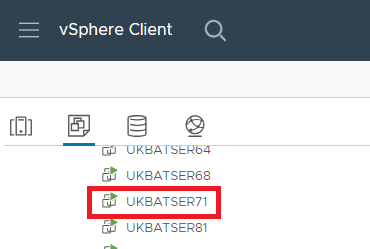
- At Disk Management, figure out disk label and volumn

- At vSphere Clint, figure out the hard disk SAN name

- Search the SAN then do back up
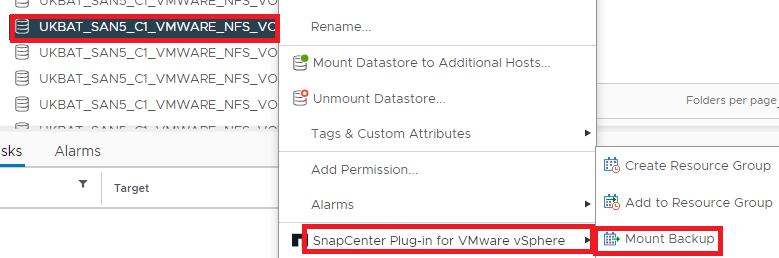
- At test VM, add "Existing Hard Disk" and then select the backup

- Go to the test server, disk management then activate the disk driver

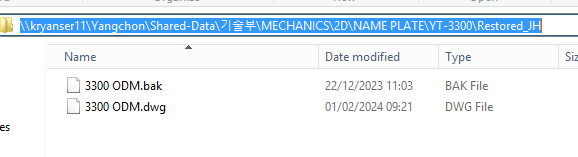
- Go to the path of the lost file and copy the file then past it to dedicated path
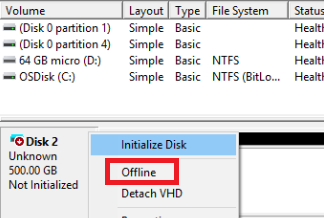
- Deactive the disk after recovering the file
- Unmount the back up after deleting backup

'ICT' 카테고리의 다른 글
| [AutoHotKey] Searching Chinese Character from Naver Dictionary (0) | 2024.07.02 |
|---|---|
| [vSphere] Backup Not Shown in DB List (0) | 2024.05.09 |
| [DFS] Set DFS Primary Server (0) | 2024.03.19 |
| [PowerShell] Remote Session Connection Issue Remediation (0) | 2024.03.12 |
| [ServiceNow] Inbound Action for Backup Fail Issue (0) | 2024.03.06 |


댓글